Choose packaged ERP when it covers most workflows cleanly and your team can adapt. Consider custom ERP when the workflow, permissions or integrations are materially different and packaged customization becomes difficult to maintain.
The useful question is not whether custom ERP is better. The goal is to choose the option that covers the workflow with the lowest total complexity, risk and cost. Packaged systems are powerful when operating processes fit their model; excessive customization can make upgrades and support harder.
Custom development is not automatically justified either. If the requirement is mostly standard accounting, sales and inventory, a mature package may be a better decision.
Start with the operating gap, not the product name
Write down where information is duplicated or decisions get delayed: stock, approvals, sales-to-accounting, branches, pricing or project costing. Then test how the packaged product handles that exact flow.
If it covers most of the process acceptably, adapting the process may be more sensible than building from scratch. If the missing part is where the business differentiates itself, customization deserves deeper evaluation.
Common accounting, purchasing and sales workflows often have mature packaged solutions.
Complex approvals, pricing logic or unusual project documents may require custom design.
Mobile apps, portals, devices and legacy systems can make architecture more important than the ERP feature list.
Sometimes the lower-cost decision is improving the process rather than coding every historical exception.
Packaged ERP vs custom ERP comparison
Use this as a discussion framework rather than a universal scorecard. Product maturity and implementation quality still matter.
| Criterion | Packaged ERP | Custom ERP |
|---|---|---|
| Initial launch | Usually faster when configuration is standard | Longer because discovery, design and development are required |
| Workflow fit | Depends on willingness to adapt the process | Can be designed around the actual process |
| Updates | Normally managed by the product vendor | Requires a defined maintenance and regression-testing process |
| Integrations | Strong when supported connectors already exist | Flexible when external APIs and systems are clear |
| Ownership | Subject to vendor licensing and platform terms | Code and data ownership can be contractually defined |
| Long-term cost | Subscription + implementation + add-ons + customization | Build + hosting + maintenance + future development |
When packaged customization becomes a warning sign
If every upgrade requires retesting many customizations, one workflow depends on several third-party add-ons, or the team cannot upgrade without breaking core processes, the package may no longer be delivering the simplicity you expected.
- Deep changes to core documents or database structures.
- Several third-party add-ons needed for one operating flow.
- Manual export/import steps acting as integrations.
- Core upgrades blocked by old custom code.
- Critical reports rebuilt manually every month.
The hybrid approach
The decision does not have to be all-packaged or all-custom. A company may keep standard accounting in a packaged ERP and build a custom field-sales app, portal or approval workflow around it.
Hybrid architecture works best when APIs are stable and each data object has one clearly defined system of record.
Before integrating systems, decide which one owns customer, product, invoice and inventory truth. Two competing sources of truth create synchronization problems even with good code.
What happens to existing data?
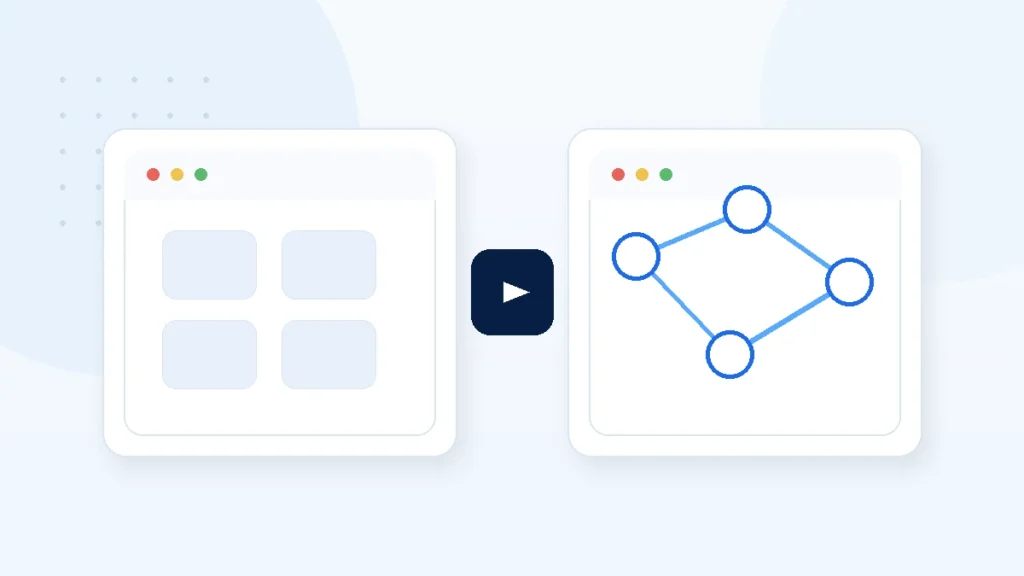
A new ERP does not automatically repair old data. Migration requires deduplication, code normalization, opening-balance approval and a decision about which historical detail is actually useful.
Test migration in a non-production environment and review samples with finance, inventory and sales teams before cutover.
List spreadsheets, legacy systems and side databases.
Resolve duplicates, units, codes and inactive records.
Define how old fields map to the new data model.
Run the import in a test environment and verify samples.
Freeze legacy updates at an agreed point and approve opening balances.
Questions to ask before choosing an ERP
These questions reveal implementation risk better than asking how many features the product has.
- What percentage of our workflow is covered without customization?
- Which customizations could make future upgrades harder?
- How are roles, branches and data isolation handled?
- Are the required integrations supported by documented APIs?
- Who owns the data and how can it be exported?
- How are updates, backup and restore tested?
- What is support versus new development?
Frequently asked questions
Is custom ERP always better?
No. If a packaged product covers the workflow without heavy customization, it is often simpler and lower risk.
When should I consider custom ERP?
When workflows, permissions or integrations are materially different and adapting a package becomes complex or costly.
Can packaged ERP connect to custom modules?
Yes, when suitable APIs exist and system-of-record boundaries are clearly defined.
Is data migration a small task?
It can become a substantial workstream when old data is duplicated, inconsistent or poorly coded.
What matters most when comparing proposals?
Normalize scope, acceptance criteria, integrations, migration and support before comparing the final price.