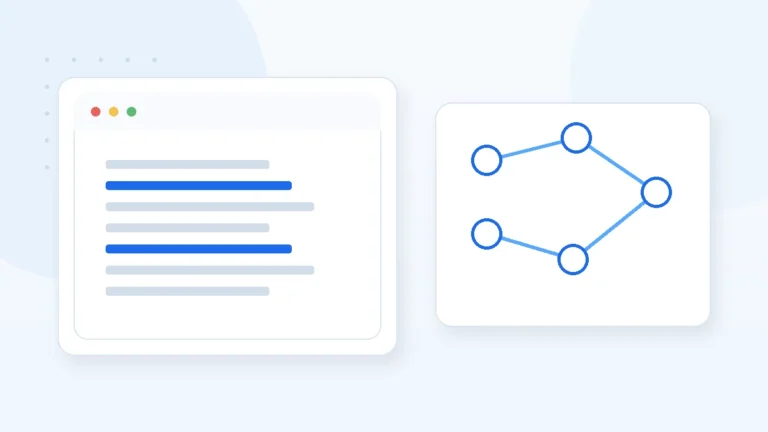
Start from the current Egyptian Tax Authority documentation and SDK, then separate taxpayer setup and master-data requirements from the ERP integration layer that builds, submits, tracks and safely retries documents.
ERP e-invoicing integration in Egypt is more than calling an API after saving an invoice. Company, customer, item, tax and document data must be prepared correctly, and the ERP needs to track submission results and document status.
The Egyptian Tax Authority provides taxpayer guidance, SDK documentation and APIs for integrating taxpayer ERP systems with eInvoicing. Implementation should therefore follow current official documentation rather than an old code sample or marketing checklist.
Treat integration as a complete document lifecycle
The process starts inside ERP with a valid business document, converts it to the required structure, validates it, applies applicable authentication or signing requirements, submits it through the official interface and stores the returned status and identifiers.
Treating the process as a simple button creates duplicate-submission and status-recovery problems when a request times out or validation changes.
Build seller, buyer, item, tax and monetary data required for the document.
Check fields, calculations and known rules before making the request.
Apply authentication or signing requirements relevant to the current official flow.
Send the document through the applicable integration interface.
Store identifiers, status, responses and notifications against the ERP invoice.
Master data quality matters more than the HTTP call
Many integration failures begin before the API: inconsistent product codes, missing customer data, incorrect units or tax logic.
Define the system of record for master data, who can change it, and whether issued documents keep a snapshot of the data used at issuance.
- Company and branch information used on documents.
- Item/service codes and the coding scheme applicable to the case.
- Units of measure, taxes and monetary values.
- Required recipient information for the document type.
- Rounding and calculation policy before payload generation.
- Document snapshots so later master-data edits do not silently change issued records.
What should the ERP integration layer do?
A maintainable design isolates tax-platform communication from the invoice UI. That makes API changes and testing easier without rewriting the whole sales workflow.
The integration should also be idempotent where practical: retrying after an uncertain network result must not blindly create another document.
Handle tokens and credentials according to official APIs without exposing secrets to end users.
Convert ERP documents to the required external structure in a testable layer.
Catch known missing or invalid data before a network call.
Persist external IDs, responses, errors and document state back into ERP.
Handle rejection and network failures without losing auditability
Not every failure should make users recreate an invoice. Some issues are local validation, some are temporary connectivity and some require correcting source data or following an official document workflow.
An operations view should show the last attempt, error category, reference response and whether retry is safe.
| Failure type | System behavior | Avoid |
|---|---|---|
| Local validation | Block submission and point to the field or calculation | Sending a payload already known to be invalid |
| Timeout / network | Check state before retrying | Immediately generating another document |
| Platform rejection | Store code/message and guide the permitted correction flow | Deleting evidence of the failed attempt |
| API or rule change | Test the integration update separately | Changing production code without regression tests |
Testing plan before real document processing
One successful invoice is not enough. Test representative edge cases and verify the ERP keeps a clear state for each document.
- A basic valid document with known customer and item data.
- Different tax scenarios that actually apply to the business.
- Discounts or decimal values where permitted and relevant.
- An intentional invalid code or missing field to test diagnostics.
- Connection interruption during submission and safe recovery.
- Concurrent attempts or repeated submission of the same ERP document.
- Log review to ensure secrets or sensitive data are not exposed unnecessarily.
Keep official references inside the implementation process
Tax integration requirements can be updated. Official documentation should remain part of analysis, development and release review rather than being checked only at project kickoff.
Record the documentation version or date used for implementation and review official release notes or guidance before material production changes.
Official & related references
Frequently asked questions
Does e-invoicing require a specific ERP product?
The integration concept is not tied to one product name; the taxpayer system needs to produce the required data and follow current official integration requirements.
Is calling the submit API enough?
No. Master data, coding, authentication or signing, state tracking, errors, retries and audit history are also part of a reliable implementation.
How do we avoid duplicate submissions?
Use stable internal identifiers, persist attempt results, check document state before retrying and design idempotent processing where possible.
Should integration be tested before production?
Yes. Financial-document integration should cover success, validation failure, connectivity and retry scenarios in a controlled environment.
What is the reference when requirements change?
Current Egyptian Tax Authority guidance and SDK documentation should be reviewed before implementing or releasing changes.